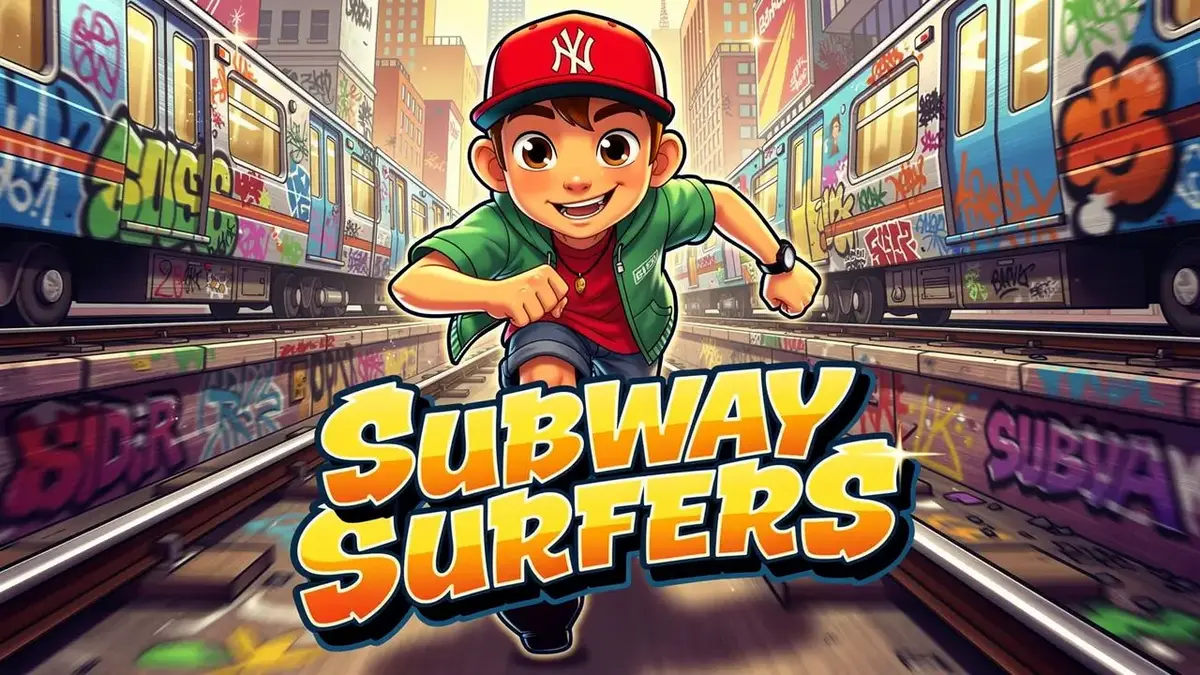



Since dropping onto mobile devices in May 2012, SYBO Games' flagship title has defined the endless runner genre. You play as Jake, Tricky, or Fresh, spraying graffiti on subway trains before a grumpy Guard and his dog chase you down the tracks. What starts as a simple reaction game quickly evolves into a sweaty, high-speed test of reflexes and resource management. Whether you're trying to play Subway Surfers online directly in your browser or grinding out world record runs on your phone, understanding the underlying math of the game separates casual players from the leaderboard elite.
Table of Contents
- The Endless Run: Why the Meta Never Gets Old
- How to Play Subway Surfers
- Advanced Strategy: High-Score Math & Key Conservation
- World Tour & Event Mechanics: Surviving the Chaos
- Key Game Features & Mechanics
- Pro Tips and Strategy Guide
- Compatibility & Technical Performance
- Is Subway Surfers Safe for Kids?
- Gameplay Video
- Frequently Asked Questions
The Endless Run: Why the Meta Never Gets Old
It's easy to look at the colorful HD graphics and write this off as just another casual time-killer. But the reason this game has outlasted massive competitors like Temple Run 2 is its brilliant pacing. The game relies on a dynamically increasing speed curve that forces you into a flow state. The regular updates—known as the World Tour—keep the environment fresh, moving the crew from the historic streets of Rome and London to the neon-drenched subways of Seoul and Mexico City.
Behind the seasonal paint jobs, however, lies a rigid, highly competitive core gameplay loop. You aren't just dodging trains; you are managing a complex economy of coins, keys, and consumable power-ups while calculating risk-versus-reward in milliseconds.
How to Play Subway Surfers
Whether you're playing the Subway Surfers browser game no download version on a Chromebook or swiping on an iPad, the input mechanics are deceptively simple. The true skill ceiling lies in animation canceling and mastering hitboxes.
Core Controls
Depending on your platform, your inputs dictate your survival. The game features three distinct lanes, and your character can swap between them instantly, jump over barricades, or roll under raised signals.
| Action | Desktop (Keyboard Controls) | Mobile / Tablet (Touch Controls) |
|---|---|---|
| Change Lanes | Left / Right Arrow Keys | Swipe Left / Swipe Right |
| Jump | Up Arrow Key | Swipe Up |
| Roll / Drop | Down Arrow Key | Swipe Down (Cancels jumps early) |
| Activate Hoverboard | Spacebar | Double Tap Screen |
Gameplay Objectives and Progression
The primary win condition is surviving as long as possible to maximize your score, but progression requires multi-tasking. As you run, you need to collect coins to unlock the massive Subway Surfers characters price list and purchase permanent upgrades for your power-ups (Jetpacks, Super Sneakers, Coin Magnets, and 2x Multipliers).
You must also complete the daily Word Hunt and specific Missions (e.g., "Jump over 10 trains in one run"). Missions are critical because they permanently increase your base score multiplier—the absolute most important metric in the game.
Advanced Strategy: High-Score Math & Key Conservation
Most basic guides tell you how to swipe, but they completely ignore the resource management required to set actual high scores. If you want to crack the upper echelons of the leaderboards, you need to understand the math.
The Math Behind the Score Multiplier
Your raw score is heavily dictated by your Multiplier. By completing in-game Missions, you can permanently raise your base multiplier up to 30x. This means that at max level, every step you take is worth 30 times more points than when you started.
To push beyond the 30x cap, you need to utilize Score Boosters at the start of your run (which add +5, bringing you to 35x), and pick up the in-run 2x Multiplier power-up, temporarily rocketing your multiplier to an insane 70x. If you aren't maxing your base multiplier first, grinding for high scores is a mathematical waste of time.
Key Economy and Conservation Guide
Keys are the premium currency, used to unlock exclusive outfits, special hoverboard powers, and most importantly, revive yourself after crashing. The revive cost scales exponentially: 1 key for the first crash, 2 for the second, 4, 8, 16, and so on.
Never spend keys on an early run. Establish a "baseline score" for yourself (for example, 1 million points). If you crash before hitting your baseline, accept the loss and restart. Only spend keys if you are actively on pace to shatter your personal record, and never revive more than three times in a single run unless you are sitting on a massive stockpile.
World Tour & Event Mechanics: Surviving the Chaos
The World Tour updates often bring limited-time event mechanics that drastically alter the playing field. Understanding these temporary hazards is crucial for survival.
Floor is Lava & Plant Invasion Mechanics
During the Floor is Lava events, players are forced to abandon the safety of the tracks. The ground becomes an instant-death zone, forcing you to utilize the Super Sneakers or jump perfectly from train roof to train roof. The meta here completely shifts: ground-based power-ups become traps, and maintaining high altitude is mandatory.
Similarly, the Plant Invasion mechanic introduces overgrown vines that obscure vision and change the standard hitboxes of barricades. Players must memorize the audio cues of oncoming trains rather than relying entirely on visual sightlines, as the greenery often hides the blinking lights of moving carriages.
Key Game Features & Mechanics
Beyond the core running, the game's sandbox is deep. The Hoverboard is your most valuable asset. Activating a hoverboard provides one-hit crash protection. If you hit a train while surfing, the board shatters, but you keep running. Advanced hoverboards come with specialized powers, such as the Zap Sideways ability for instant lane-shifting, or boards that have Super Jump built-in.
Another beloved mechanic is the Paint-Powered Jetpack. Grabbing this launches Jake above the power lines, completely removing him from danger while allowing him to vacuum up massive streams of coins. Upgrading the Jetpack's duration in the shop should be your absolute first priority.
Pro Tips and Strategy Guide
- Master the Jump-Cancel: Swiping down while in mid-air immediately snaps your character to the ground. This is essential for dodging low-hanging obstacles right after clearing a tall barricade.
- Spam Boards in the Late Game: Once the game reaches maximum speed, human reaction time isn't enough to survive bad RNG. Keep a hoverboard active at all times during the late stages just to absorb unavoidable hits.
- Stay on the Roofs: Whenever possible, run on top of the trains. It gives you a better field of vision to plan your next three moves and keeps you away from grounded obstacles.
- Beware the Guard Glitch: Due to occidental spawning glitches at high speeds, the Guard can sometimes appear closer than intended after a stumble. Don't risk narrow lane swaps if you've recently tripped.
- Upgrade the Magnet and Jetpack First: The Coin Magnet and Jetpack directly fuel your economy. Max these out before spending coins on the "Super Sneakers" or "2x Multiplier."
Compatibility & Technical Performance
Originally a mobile powerhouse, playing Subway Surfers online for free has become incredibly popular, especially with students looking for Subway Surfers unblocked at school. The desktop browser versions utilize HTML5 and WebGL, allowing for smooth 60fps gameplay right in Chrome or Edge without any downloads.
The game supports offline play on mobile, which is fantastic for commuters and minimizes the frustrating accidental ad triggers that can occasionally ruin a high-score run. However, the lack of a live competitive multiplayer mode remains a point of contention for veteran players, limiting interaction to static leaderboards.
Is Subway Surfers Safe for Kids?
Parents frequently ask if Subway Surfers is safe, and the answer is a resounding yes. The game is rated E10+ primarily for mild cartoon violence (running into trains results in a dizzy animation or being caught by the guard, with no gore).
Because there is no live competitive multiplayer, kids are completely insulated from toxic voice chat or unmoderated text communication. The only risk involves the in-game currency; the prices for premium characters can be steep, so parents should ensure in-app purchases are disabled on their child's device to prevent accidental spending.
From its simple swipe-to-dodge beginnings to its modern status as a browser gaming staple, Subway Surfers remains the undisputed king of the endless runner. By mastering the score multipliers, hoarding your keys, and knowing exactly when to deploy a hoverboard, you can easily conquer the leaderboards and keep the grumpy Inspector eating your dust.
Watch Subway Surfers Gameplay – Play Online for Free
Play Subway Surfers – Endless Urban Runner Focused on Dodging Obstacles and Upgrades directly in your browser with no download. Enjoy fast, free gameplay on any device!
Frequently Asked Questions
How do you play Subway Surfers on a desktop browser?
You can play directly in a web browser using HTML5. Control your character using the arrow keys to move left, right, jump, and roll. Press the Spacebar to activate your hoverboard for crash protection.
What is the maximum score multiplier in Subway Surfers?
The maximum permanent base multiplier you can earn by completing missions is 30x. You can boost this to 35x using a Score Booster at the start of a run, and temporarily hit 70x by picking up an in-game 2x Multiplier power-up.
Are there any cheats to get free keys in Subway Surfers?
There are no legitimate cheats for free keys. The best way to earn them safely is by watching daily rewarded ads, opening Mystery Boxes, completing the weekly Word Hunts, and claiming season hunt rewards.
Can I play Subway Surfers offline?
Yes, the mobile app version of Subway Surfers fully supports offline play. However, you will need an internet connection to access the leaderboards, daily challenges, and to watch ads for rewards.
What does a hoverboard actually do?
Activating a hoverboard gives you a 30-second window of invincibility against a single crash. If you hit an obstacle while surfing, the board breaks, but your run continues without dying.
Is Subway Surfers unblocked for school Chromebooks?
Many HTML5 gaming portals host browser-friendly versions of the game that often bypass standard school network filters, making it a popular 'unblocked' game to play with keyboard controls.
Why is the Guard suddenly appearing when I didn't crash?
This is a known spawning quirk (sometimes referred to as the occidental glitch). If you stumble over a small obstacle or perform too many rapid lane changes, the game registers a speed drop, causing the guard to momentarily catch up to your screen.
How do I survive the Floor is Lava event?
During the Floor is Lava event, touching the train tracks results in an instant game over. You must rely heavily on Super Sneakers to maintain maximum jump height and stay exclusively on the rooftops of the trains.
When should I use keys to revive?
You should only spend keys to revive if you are currently on pace to beat your personal high score. Wasting keys early in a run is highly inefficient since the cost doubles with every consecutive revive.
Does Subway Surfers have a live multiplayer mode?
No, there is no real-time competitive multiplayer. Players compete asynchronously by trying to beat the top scores of their Facebook friends or regional players on the leaderboards.


